


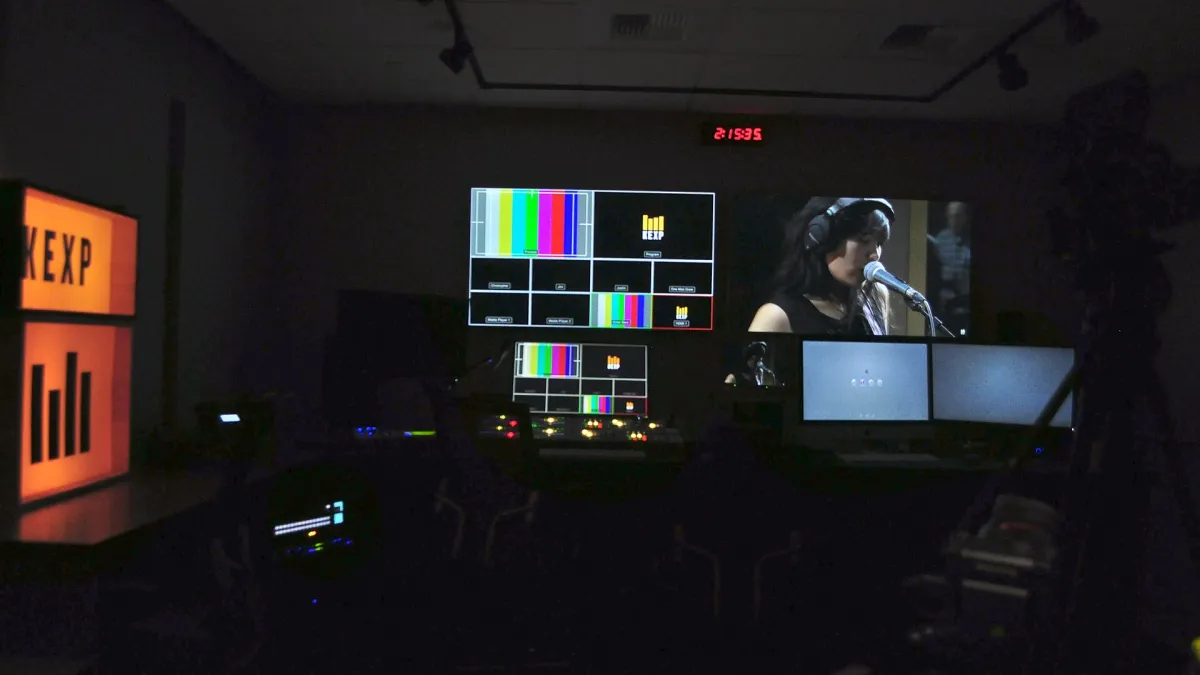
Photo: Joe Mabel / Wikimedia Commons, CC BY-SA 4.0, cropped
Video editing side hustle: skills, tools and first clients explained
By FastBuySale Newsroom · · 8m ago
Get breaking news & deals on your favourite app
Video editing side hustle explained: the kinds of paid editing work available, from short-form social clips and podcasts to YouTube videos, weddings and business content, the skills to learn first, free and paid editing. Demand for video editing comes from creators, podcasters, small businesses, coaches, agencies and event clients who need regular content.
📌 Key points
- Demand for video editing comes from creators, podcasters, small businesses, coaches, agencies and event clients who need regular content.
- Beginners should learn pacing, cutting, audio cleanup, colour basics, captions and export settings in one main editor before adding advanced effects.
- A short showreel and a few sample edits for your target niche are the strongest tools for winning first clients.
- Package services per video or per finished minute, with clear limits on revisions, length and turnaround.
- Use only licensed music, footage and fonts, and agree who supplies assets and owns the final files.
What a video editing side hustle looks like
Video is everywhere: short clips on social platforms, long videos on creator channels, video podcasts, online courses, business adverts, product demos, event highlights and family celebrations. Most people who create video do not want to spend hours editing it, which creates steady demand for editors. As a side hustle, video editing can be done from home in evenings and weekends, and many clients need content every week, which can turn into regular income. The challenge is that editing is time-consuming, clients have different styles and deadlines can be tight. Success depends on choosing a niche, learning efficient workflows, pricing for real hours and communicating clearly so revisions do not take over your free time.
Types of paid editing work
Common work includes short-form vertical clips for social platforms, often cut from longer videos, long-form creator videos with graphics and pacing, video podcast editing with multi-camera switching and audio cleanup, online course and webinar editing, business promotional videos and testimonials, real estate walkthroughs, wedding and event highlights and simple corporate training content. Each has different expectations. Short-form clips need fast pacing, captions and hooks, while course videos need clarity and consistent audio.
Skills to learn first
Strong editing is mostly about storytelling and rhythm. Learn to cut out mistakes and pauses, choose the best takes, pace scenes, use b-roll to support the message and build engaging openings. Audio matters enormously: learn to balance levels, reduce noise and use music without overpowering speech. Basic colour correction, captions and titles, aspect ratios for different platforms and export settings are essential. Advanced effects and motion graphics can come later.
Software options
Several editors suit beginners and professionals. Some professional-grade editors offer free versions with powerful tools, while subscription editors are common in agencies. Mobile and browser-based editors suit quick social clips. Choose one main editor and learn its shortcuts and workflow deeply. Clients care about results, not which software you use, unless they need project files in a specific format.
Hardware and storage
Editing benefits from a computer with a capable processor, a good graphics card, plenty of memory and fast storage. Video files are large, so you need external drives or cloud storage for projects and backups. Headphones with accurate sound help with audio mixing, and a second monitor improves workflow. You can start on mid-range hardware by using proxy files, which are lower-resolution copies for smoother editing.
Choose a niche
A niche makes it easier to find clients and build reusable templates. Options include podcast editing, short-form clips for coaches and creators, real estate videos, gaming content, educational videos, wedding highlights or small business adverts. Choose a niche you understand and enjoy, research how successful videos in that niche are edited and build samples that match.
Build a showreel and samples
A showreel is a short video, often under two minutes, showing your best edits. Keep it focused on your niche, start with your strongest work and keep pacing tight. Also prepare a few full sample edits, such as a complete short clip or podcast segment, so clients see your work in context. If you lack client footage, use your own recordings, royalty-free footage or footage from friends with permission.
Package your services
Clients prefer clear packages. Examples include a short-form package of a set number of clips per week with captions, a long-form package for one video up to a certain length, a podcast package with audio cleanup and multi-camera edits, and add-ons such as thumbnails, motion graphics or rush delivery. State what each includes, the footage length you accept, turnaround and revision rounds.
Price your work
Many editors price per video or per finished minute, based on estimated hours. Raw footage length matters too, because two hours of footage cut to ten minutes takes longer than twenty minutes cut to ten. Track how long edits take and price to reach your target hourly rate. Charge more for complex graphics, tight deadlines and extra revisions. Monthly retainers for regular content give predictable income.
Worked example: side hustle earnings
Suppose you edit four long-form videos a month at 120 each and twenty short clips at 15 each. Income is 480 plus 300, or 780 a month. If long-form videos take 5 hours each and clips take 45 minutes each, total time is 20 hours plus 15 hours, or 35 hours, giving about 22.29 per hour. If you build templates that cut clip time to 30 minutes, total time falls to 30 hours and your rate rises to 26, an increase of about 16.6 percent. Figures are illustrative. The percentage calculator and salary calculator on this site help you model your own numbers.
Find first clients
Start with your network: friends who create content, local businesses and community organisations. Reach out to small creators and podcasters with a short, helpful message and a sample edit of their content if appropriate. Join online communities where creators ask for editors. Freelance marketplaces can bring early projects but involve fees and competition. Post your work regularly on social platforms, because clients often discover editors through their content.
Briefs and revisions
Before starting, ask for a brief covering the video's purpose, audience, style references, length, platform, branding, music preferences and deadline. Agree how many revision rounds are included and what counts as a revision. Use review tools or timestamps for feedback. Clear briefs prevent misunderstandings and endless edits.
Receiving footage and delivering files
Large files need reliable transfer methods, such as cloud storage links or file transfer services. Agree on file formats, resolution, frame rate and aspect ratios before export. Deliver finished files with clear names, and keep backups until the client confirms receipt. Clarify whether clients receive project files or only final exports.
Music, footage and font licensing
Use only music, stock footage, sound effects and fonts you have rights to use. Licensed libraries offer tracks and footage for commercial use under their terms. Unlicensed music can lead to takedowns, muted audio or claims against your client. Keep records of licences and confirm whether licences cover the client's intended use.
Building an efficient workflow
Speed is what turns editing from a hobby into profitable work. Organise every project the same way, with folders for footage, audio, graphics, music and exports. Create templates for recurring formats, such as intro and outro sequences, caption styles, lower thirds and export presets for each platform. Learn keyboard shortcuts for your most common actions, and use markers while reviewing footage so you can find the best moments quickly. Batch similar tasks, such as captioning several clips at once. A consistent workflow reduces mistakes, makes revisions faster and lets you take on more work without longer hours.
Turning clients into regular work
Many clients publish content weekly, so a good first project can become a monthly retainer. Deliver on time, keep style consistent with their brand, suggest small improvements such as stronger openings or better thumbnails, and check in after videos go live. Clients who see their content perform better are likely to send more work and recommend you to other creators.
Contracts and rights
Use written agreements covering deliverables, deadlines, revisions, payment terms, who supplies assets, who owns final files and whether you can show work in your portfolio. Take deposits for larger projects or new clients.
Managing time alongside a job
Editing projects can expand quickly. Block regular editing time, set realistic turnaround times that fit your main job, use templates and presets, organise footage consistently and avoid accepting more projects than you can complete. Communicate availability clearly with clients.
Side hustle checklist
| Step | Goal |
|---|---|
| Pick a niche | Focus samples and marketing |
| Learn one editor | Build speed |
| Make a showreel | Show your best work |
| Package services | Simplify buying |
| Price by real hours | Earn a fair rate |
| Use licensed assets | Avoid claims |
| Written agreements | Protect your time |
Common mistakes
Common mistakes include underpricing, unlimited revisions, using unlicensed music, poor audio, ignoring platform formats, disorganised files, no backups and missing deadlines. Focus on reliable, clean edits and clear communication.
Taxes and records
Side hustle income is usually taxable. Keep records of payments, software subscriptions, hardware, storage and licences, and consult a professional if unsure.
How to avoid scams
Be cautious of clients who overpay and ask for refunds, request large unpaid test edits, ask you to buy software or equipment through their links, or send suspicious files or links. Use written agreements and take deposits.
Reader questions
Questions about creative side hustles? Send them through the Ask page on this site.
Disclaimer
This article is for general information only. Rates and demand vary. No income is guaranteed.
💬 Join the discussion on this article →
🔴 LIVE · Video editing: all 4 stories →
More in News · Trending News · Browse local deals
💡 What's in it for buyers
- Pick a niche.
- Learn one editor well.
- Build a short showreel.
- Package and price services.
- Agree briefs and revisions in writing.
FAQs
Can I start a video editing side hustle as a beginner?
Yes, once you can produce clean, well-paced edits. Start with simple formats such as short social clips or podcasts while you build skills and a portfolio.
What software do I need for video editing?
A capable editor is enough to start, and some professional-grade editors offer free versions. Learn one well before buying additional tools.
How much should I charge for video editing?
Price by video or finished minute based on estimated hours, complexity and turnaround. Rates vary widely by niche, region and experience.
Where do video editors find clients?
Creators and podcasters, small businesses, local event organisers, agencies, online communities, freelance marketplaces and referrals.
Can I use popular music in client videos?
Only with proper licences. Unlicensed music can lead to takedowns, muted videos or legal claims, so use licensed libraries or client-provided rights.
 $200
 $300
 $3
 $200